How to locate broken data disk for replacement
-
Problem analysis:
The storage data disk is damaged, smartctl cannot recognize it, and it cannot be mounted. How to locate the location of the data disk for disk replacementProblem handling process:
- Check the raid card model.
lspci |grep -i raid
- Get the “location information” and “identity information” of all healthy hard disks that the RAID card can identify
/opt/sds/diskled/MegaCli64 -PDList -aAll | grep -Ei "Enclosure Device ID|Slot Number|Inquiry Data“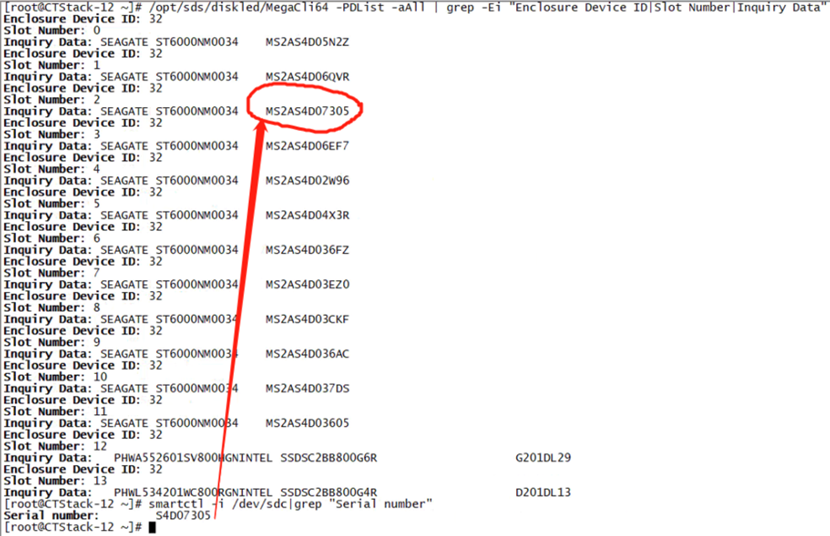
3.Use SMART tool to check the Serial number of the hard disksmartctl -i /dev/sdc |grep -i 'Serial number’-
Use the exclusion method to obtain the Enclosure Device ID and Slot Number information of the hard disk that cannot be viewed
-
Physically locate the failed hard drive by causing its light to start blinking.
/opt/sds/diskled/MegaCli64 -PDLocate -Start -PhysDrv [32:7] -a0
-
 undefined nexus marked this topic as a regular topic on